


How to Protect Your Digital Identity While Browsing the Internet – Complete Guide
Every time you go online, you're being watched. Websites log where you click. Advertisers track what you buy. Your browser history, location, and device type, are all recorded. Think about it, 'how many times have you searched for something and seen ads for it minutes later?' That's not a coincidence. That's your digital identity being harvested and sold.
Here's why this matters. Identity theft is real. Data breaches happen constantly. One weak password, one sketchy website, and suddenly your bank account or email is compromised. Protecting your digital identity isn't about paranoia-it's about control. You decide what information you share and who gets to see it.
This guide walks you through the exact steps to lock down your online presence. Just practical tools and habits that work.
Let's get started.
What is Digital Identity Protection?
Before we take action, we should know what Digital Identity means. In simple words, your digital identity includes everything that identifies you online, like your name, email address, phone number, passwords, banking details, social media profiles, browsing history, IP address, and device information.
Even seemingly harmless data like your location, purchase history, and the websites you visit become part of your digital footprint that can be tracked and exploited.
Digital identity protection means keeping your personal information, browsing habits, and online accounts safe from tracking, theft, and exploitation. It's about using the right tools to control your data instead of letting websites and advertisers control it for you.
Who needs this? Everyone. Students protecting their academic work. Professionals handling sensitive business emails. Anyone shopping online, banking from home, or scrolling social media. If you're on the internet, your identity needs protection.
The returns are simple, fewer data breaches, no stolen passwords, and privacy when you browse. You stop being a target.
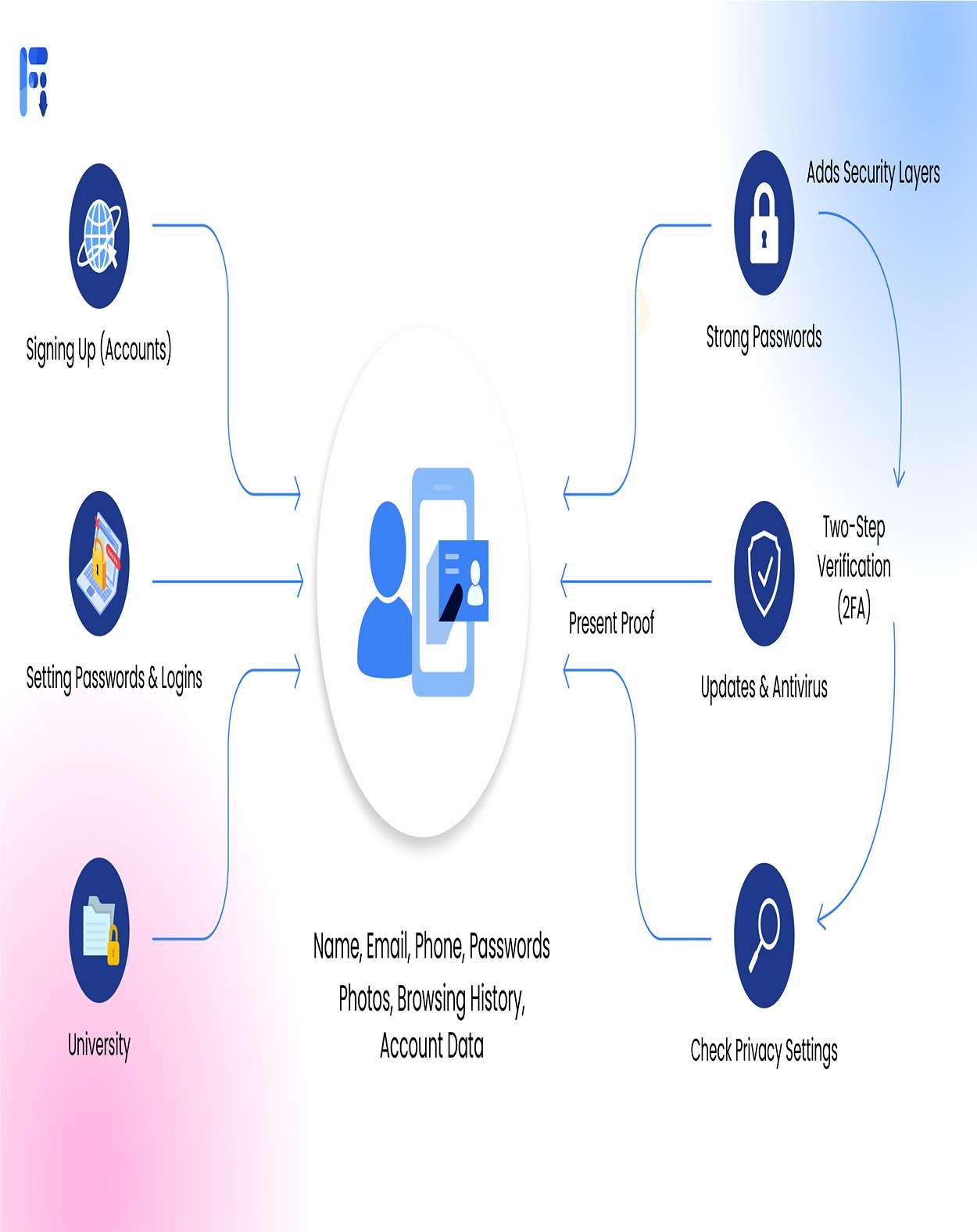
How to Protect Your Digital Identity
Choose a Privacy-Focused Browser
Your browser sees everything you do online. Chrome and Edge? They collect data by default. Switch to something that actually respects your privacy.
Firefox gives you solid privacy features and full customization. Brave automatically blocks ads and trackers. Both are free. Download them from the official site or Fileion, install them, and you're set.
Install a VPN
A VPN encrypts your internet traffic and hides your real IP address. Your ISP can't see what you're doing. Websites can't track your location. Hackers on public Wi-Fi can't intercept your data.
Skip free VPNs, they usually sell your information. Go with a trusted paid service like NordVPN, IPVanish, ExpressVPN, or ProtonVPN. Some offer short free trials or limited free servers, so check the details.
Use Password Manager
Reusing passwords is asking for trouble. One breach and all your accounts are vulnerable. A password manager generates unique, complex passwords for every site and remembers them for you.
Try NordPass, Proton Pass, Bitwarden, 1Password, or Dashlane. Set up a strong master password, long and complex, something only you would know. After that, the manager handles everything. It autofills passwords when you log in, so you never have to type them.
Enable Two-Factor Authentication (2FA)
Even if someone steals your password, 2FA stops them cold. It requires a second verification, subsequently a code from your phone or an authentication app.
Go into your account settings for email, banking, social media, and cloud storage. Turn on 2FA everywhere. Use apps like Google Authenticator or Authy instead of SMS codes. SMS can be intercepted; apps can't.
Block Trackers and Cookies
Websites drop cookies and tracking scripts to monitor you across the internet. They build profiles of your behavior and sell them to advertisers.
Install uBlock Origin and Privacy Badger, both free, both essential. Ghostery is another solid option. These extensions block trackers before they load.
Then hit your browser's privacy settings. Block third-party cookies. Clear cookies and browsing data regularly. Set your browser to wipe everything when you close it.
Use HTTPS Everywhere
HTTPS encrypts the connection between you and the website. Without it, anyone can intercept your passwords or payment details.
Most modern browsers force HTTPS automatically now. Still, always check for the padlock icon in your address bar before entering sensitive info. No padlock? Don't log in. Don't buy anything. Leave.
Browse Anonymously When Needed
Sometimes you need total anonymity when researching sensitive topics, accessing blocked content, or just staying invisible.
For serious privacy, consider an anti-detect browser. It lets you manage multiple profiles with different digital fingerprints. Perfect if you're handling multiple accounts or need advanced protection.
Want something open-source? Check out a TOR browser alternative. TOR gives you strong anonymity, but it's slower, and some sites block it.
Limit What You Share
The less you put online, the safer you are. Don't share your full name, address, phone number, or birthdate unless necessary.
Use throwaway email addresses for signups. SimpleLogin and AnonAddy create temporary email aliases that forward to your real inbox. If the site gets hacked or spams you, just delete the alias.
Secure Your DNS Queries
DNS translates website names into IP addresses. Your ISP sees every site you visit through DNSeven if you use HTTPS.
Switch to encrypted DNS using DNS over HTTPS (DoH) or DNS over TLS (DoT). This scrambles your DNS requests so your ISP can't spy on you.
Enable secure DNS in your browser settings. Use Cloudflare (1.1.1.1), Google Public DNS, or Quad9. Done.
Keep Everything Updated
Hackers exploit outdated software. Updates patch those holes.
Update your browser, VPN, password manager, and operating system regularly. Check app permissions every few months and revoke anything unnecessary. Rotate passwords for critical accounts once a year.
Cost-Effective Security Measures
Privacy doesn't have to break the bank. Firefox, Brave, Bitwarden, uBlock Origin, Privacy Badger, Cloudflare DNS, and Have I Been Pwned are all free.
VPNs run $3–$12 per month. Premium password managers cost $3–$5 monthly. Identity monitoring services are $10–$30 per month.
Everything works on Windows, macOS, Linux, Android, and iOS. Most tools cover multiple devices with one subscription.
Final Thoughts
Your digital identity is under attack every time you browse. Trackers, hackers, data brokers, they all want a piece of you. But you don't have to hand it over.
Install a privacy browser. Get a VPN. Use a password manager. Enable 2FA. These steps take less than an hour and protect you permanently.
Start today. Pick one tool from this guide and install it right now. Take control of your data before someone else does.
FAQs
Can I protect my digital identity for free?
Yes. Firefox and Brave browsers, Bitwarden password manager, uBlock Origin, and Privacy Badger are completely free. ProtonVPN offers a limited free tier. You can build solid digital identity protection without spending anything.
Does using a VPN slow down browsing?
VPNs add slight latency since traffic routes through encrypted servers. Modern VPNs with the WireGuard protocol minimize slowdown. Choose nearby servers for better speed. You likely won't notice much difference during normal browsing.
Is incognito mode enough for online privacy?
No. Incognito only stops your browser from saving local history. Your ISP, websites, and network admins still see everything. Your IP address stays visible. Use a VPN and tracker blockers for real digital identity protection.
How often should I update my passwords?
Change passwords immediately after breach alerts. Otherwise, rotate critical account passwords (email, banking) yearly. Using unique passwords via a password manager matters more than frequent changes. Never reuse passwords across sites.
What's safer: VPN or proxy for browsing?
VPNs encrypt all internet traffic and hide your IP address completely. Proxies only reroute specific traffic without encryption. To protect your digital identity online, always choose VPNs over proxies.


